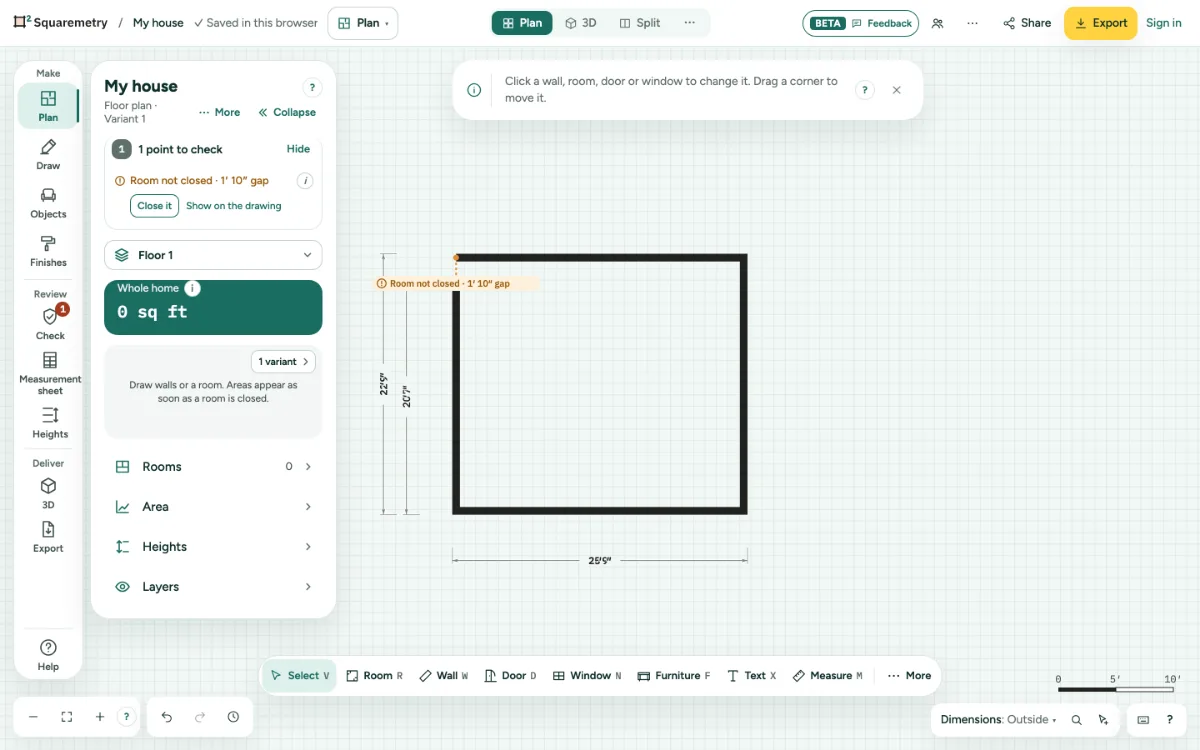
The editor marks what may be off in the drawing, like a room that is not closed or a stair without headroom, and offers a fix in one click.
1. See them
A red or orange chip shows on the spot and in the list under the totals. Show on the drawing takes you there.
2. Fix one
Click the fix, like Close it or Cut the opening above. Each fix is one undo step.
3. Loose wall ends
A wall end that joins nothing has an open circle, so you see where a wall does not connect. A half wall or railing stands free on purpose and has none. A gap under 2″ (5 cm) closes by itself when you draw or drag; a larger gap shows Room not closed with Close it.
4. Before export
Export shows Check before you export for all floors. Warnings do not stop the export.
Parts on the screen
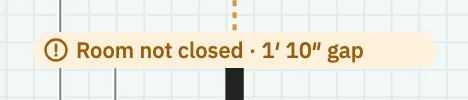
Problem chip. Orange for a warning, red for an error, on the spot in the drawing.
Messages you may see
- Room not closed
- Nothing below this room
- No problems found. Check every measurement yourself.
- Fixed.
- Joined a gap of 1″. Undo opens it again.