Colour the plan by what counts, see why each room counts or not, and choose the measuring profile: ANSI Z765 (US), the Dutch measuring instruction, the German WoFlV, or no national standard.
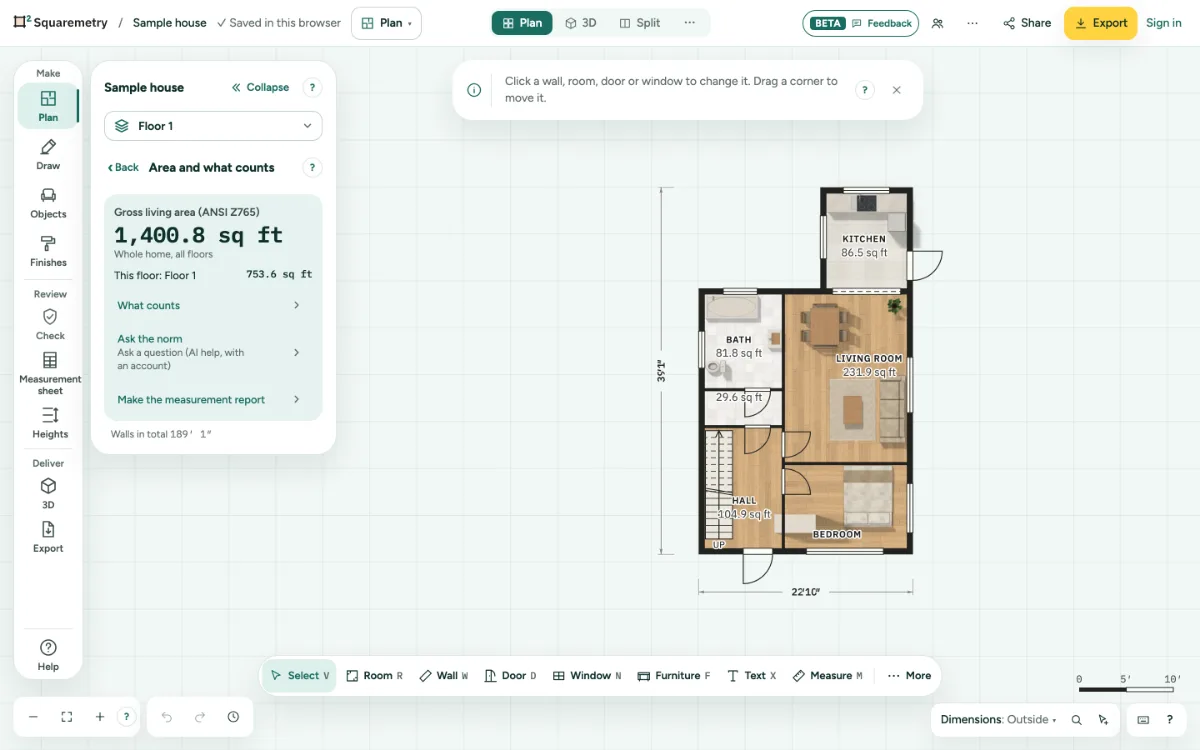
1. Colour the plan
In Survey, choose the What counts tab. Blue counts, orange does not. The Build-up tab colours each floor by what it sits on; you choose that per room in Remodel. Check or Measurement sheet goes back to normal.
2. See why
In the What counts panel, click a room to read why it counts or not, under the rule that applies.
3. Choose the standard
Pick ANSI Z765 · US, NEN 2580 · NL, WoFlV · DE or No standard in the tabs, or the Standard on the Check tab of Survey. It is one undo step, and the plan keeps your choice.
4. A new plan
A new plan takes the standard of your language and country: Dutch the measuring instruction, German the WoFlV, English in the US ANSI Z765, and every other language No national standard. A standard in Settings, My defaults, goes first.
5. No national standard
With No standard the main number is Floor area inside the walls: every room inside its walls, added up, without height rules and without a standard name. It works in meters and in feet.
6. The WoFlV
Under the WoFlV parts from 2 m high count in full, from 1 m to 2 m for half and under 1 m not; a balcony counts for a quarter; a basement, laundry, storage outside the home and a garage do not count. The card German living area (WoFlV) lists every rule with its paragraph, and the rule set with its version.
7. A German plan from before
Did a plan in German calculate with the Dutch measuring instruction, the editor asks once: Switch to the WoFlV, Keep the Dutch rules, or Later. The numbers stay as they are until you choose.
Messages you may see
- No rooms yet. Draw a room and it shows here.
- Click a room to see why.
- Floor area inside the walls, without national measuring rules.
- This plan still uses the Dutch measuring instruction. Switch to the WoFlV? The numbers stay as they are until you choose.