Put Squaremetry on your Home Screen or in the Dock. It then opens like an app, in its own window, and works without internet too.
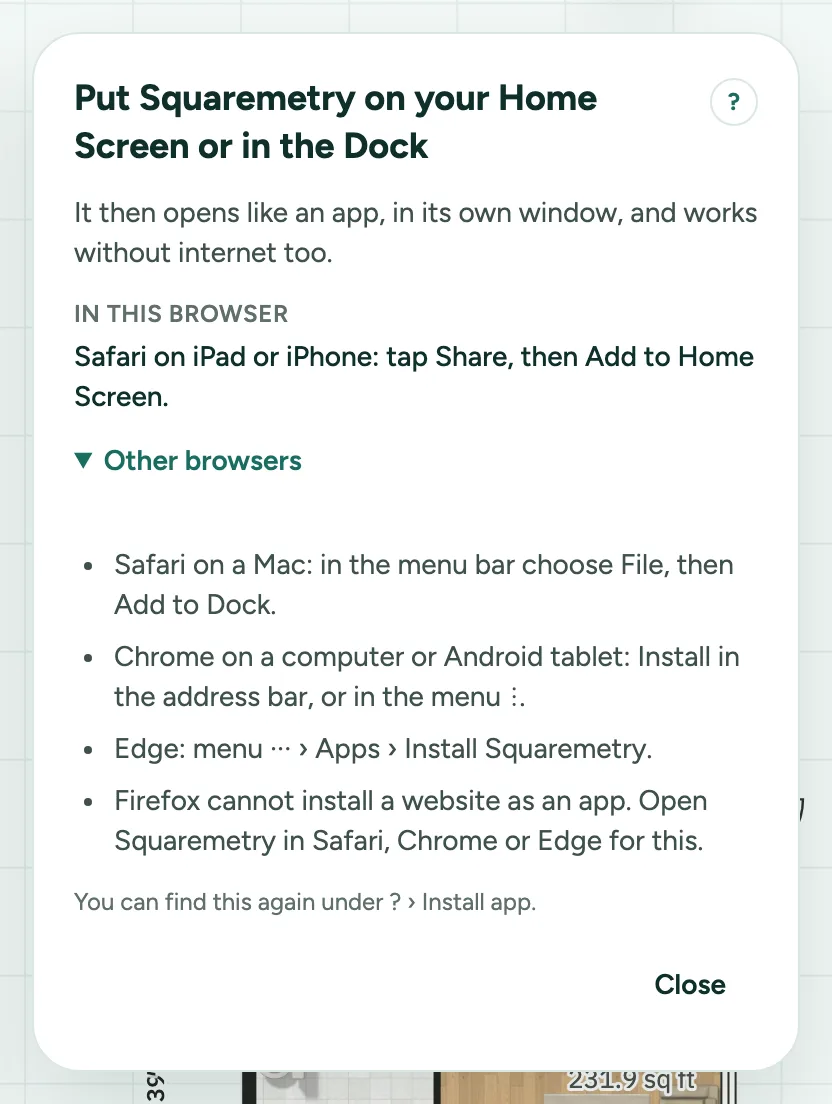
Install Squaremetry as an app: step by step
1. Find the steps
Open ? and choose Install app. You see the steps for the browser you use, and under Other browsers the rest. On a tablet or computer we show this once by ourselves on your second visit.
2. Safari on iPad or iPhone
Tap Share (the square with the arrow), then Add to Home Screen, and Add. Squaremetry gets its own icon and start screen.
3. Safari on a Mac
In the menu bar choose File, then Add to Dock. Squaremetry then opens from the Dock in its own window.
4. Chrome and Edge
Where the browser offers it, the steps have an Install button. Otherwise use Install in the address bar, or in the menu: in Chrome ⋮, in Edge ··· › Apps › Install Squaremetry.
5. Without internet
After one visit with a connection the app also opens without one, with your plan. The status says Offline · your work stays on this device.
Messages you may see
- Put Squaremetry on your Home Screen or in the Dock
- Firefox cannot install a website as an app. Open Squaremetry in Safari, Chrome or Edge for this.
- Offline · your work stays on this device