Type one room per line, with a name and two sizes. The rooms are placed side by side, ready to move into place.
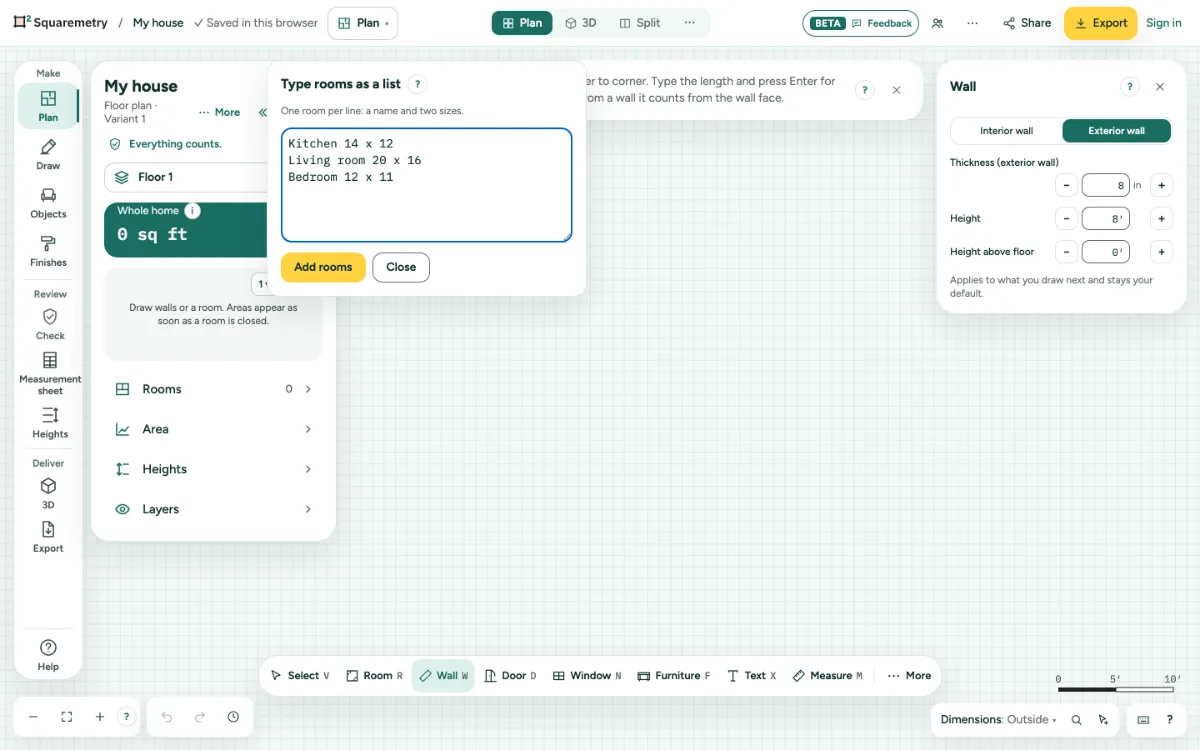
Type rooms as a list: step by step
1. Open the list
Press L, or choose List under More at the end of the toolbar. On the start screen, choose Type a list of rooms.
2. Type the rooms
One room per line, like Kitchen 14 x 12. A name may end in a number, like Bedroom 2 12 x 11. The room type is guessed from the name. Names in English, Dutch and German are read: an attic bedroom (Zolderkamer), a child’s room or a guest room is a bedroom, and a utility room (Bijkeuken) is not a kitchen.
3. Inside sizes
The sizes are inside sizes, as you measure them with a tape: Kitchen 12 x 14 is exactly 168 sq ft. The walls go around each room. A link from squaremetry.com, like Open in the editor on a room size page, works the same way and says the area when it opens.
4. Add them
Click Add rooms. The good lines are placed right away. A line without two sizes stays in the window with a message, so you can fix it and add it too. A room is at most 300 m (984 ft) long and wide; a larger line stays with a message. So does a line with a third size, such as the height, or with a minus sign before a size.
Shortcuts
- L
- Room list
Messages you may see
- Type a room, like Kitchen 14 x 12.
- Type two sizes, like 14 x 12.
- A size must be more than 0.
- Room 12 x 14 is ready: 168 sq ft inside the walls, the same as on the website. Keep drawing, or add rooms with L.