Under More formats in Export, the listing pack puts the areas a listing site asks for and the floor plans per floor in one ZIP. For the US with the fields of the RESO Data Dictionary, for the Netherlands with the four areas of the measuring instruction.
Free as a small PNG with a watermark. In full: unlock the home (your first home is free) or take Pro.
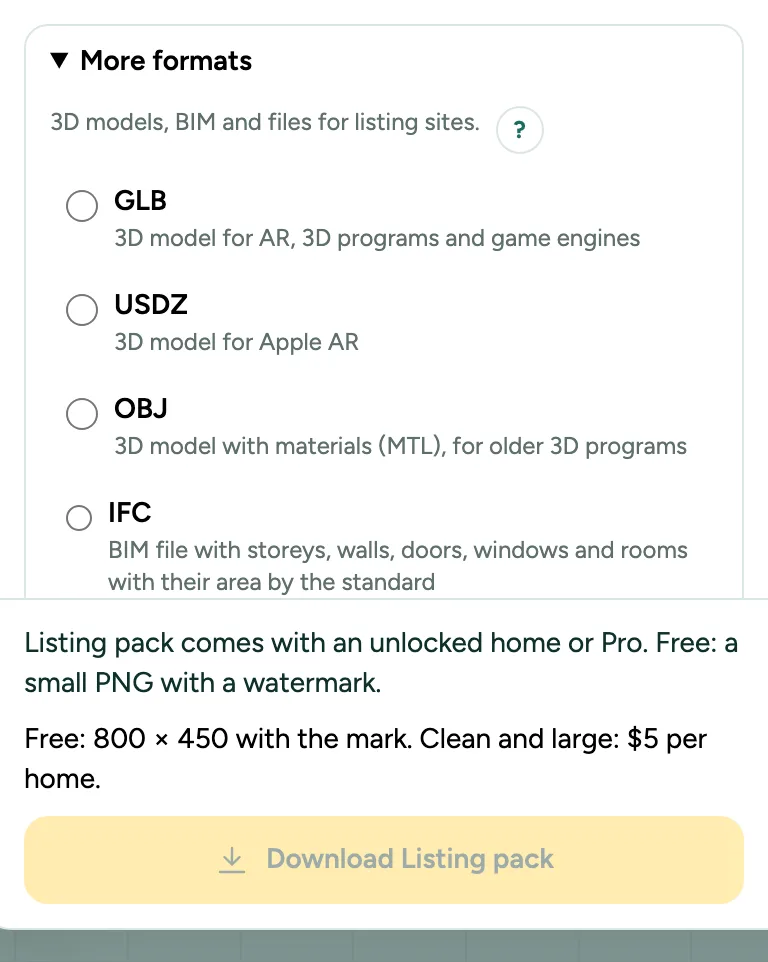
Listing pack: the data and floor plans for a listing site or MLS: step by step
1. Pick Listing pack
Click Export, open More formats and pick Listing pack. Like every file other than the small free PNG, it needs Pro, Team or an unlocked home; your first home is free once per account.
2. US: choose the source
For a plan under ANSI Z765 you choose the source of the area, the RESO field LivingAreaSource. RESO has no value for measured yourself: choose Other, or Appraiser if you are one. A plan traced from a drawing starts on Plans.
3. What is in the ZIP
listing.json with the fields, listing-fields.csv and listing-rooms.csv for a spreadsheet or an MLS form, the floor plans as JPG of 1024 px wide, and a README. US: LivingArea, AboveGradeFinishedArea and BelowGradeFinishedArea in whole square feet, BedroomsTotal, and each room with a RESO RoomType and level. Netherlands: the four areas in whole m², the number of rooms, bedrooms, bathrooms and storeys, and each room.
4. Check before you publish
The exact numbers, the rule set and its version are under Squaremetry in listing.json. Check the source and the room types with your MLS or listing site.
Messages you may see
- Draw a room first. There is nothing to export yet.