Skip to the content
FREE BETA 100 days free, up to 10 homes a month
Modelling in 3D

Model: circles

· 1 min read

A centre and a radius. The circle is a ring of straight edges that look smooth.
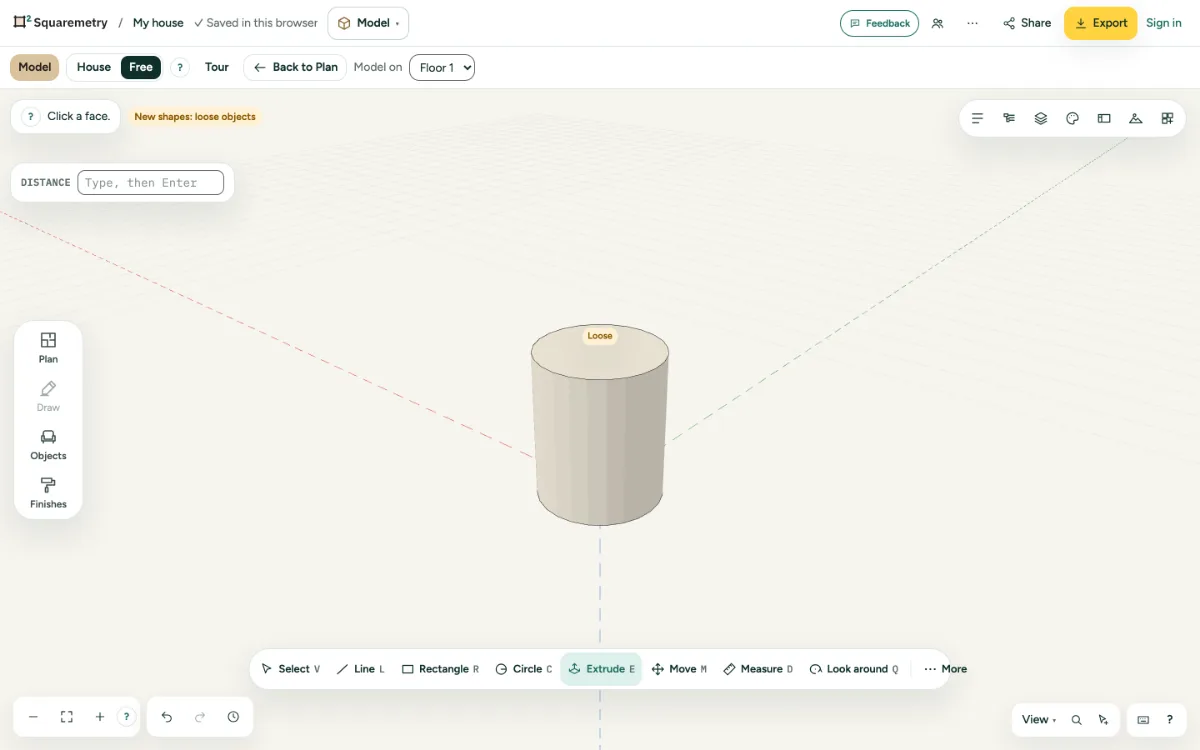
A circle on the ground being pulled up into a column.
  1. 1. Draw

    Press C, click the centre, then click or type the radius.

  2. 2. Sides

    Before the radius, type a number with s for the sides, for example 32s. More sides is rounder.

  3. 3. Extrude it

    Pull the circle up into a column; its sides stay smooth.

Shortcuts

C
Model: circle

Messages you may see

  • Between 3 and 360 sides.

Related

Still stuck?

Send us a message and tell us what you tried. We will help you from there.

Start with your first floor plan

The beta is free for 100 days, with up to 10 homes a month. After the beta: $5 per home, or Pro from $19 a month.

Join the free beta

or sign in with a code by email